Dive into the world of graphic design tools beyond Canva as we explore a range of alternatives that offer unique features and capabilities. From user interfaces to collaboration tools, this guide covers everything you need to know about finding the perfect Canva alternative for your creative projects.
Overview of Canva Alternatives
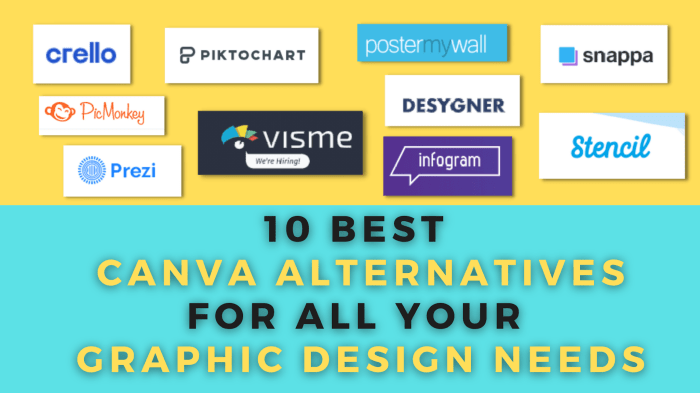
When looking for alternatives to Canva, there are several popular graphic design tools that offer similar features and functionalities. These alternatives cater to different user preferences and requirements, providing a diverse range of options for creating stunning visual content.
List of Popular Canva Alternatives:
- Adobe Spark: Known for its integration with Adobe Creative Cloud, offering advanced design capabilities and templates.
- Crello: Provides a user-friendly interface with access to a vast library of design elements and customization options.
- Snappa: Focuses on social media graphics and marketing materials, with a quick and easy design process.
Key Features of Canva Alternatives:
- Advanced Design Capabilities: Adobe Spark stands out for its professional-grade tools and features.
- User-Friendly Interface: Crello offers an intuitive platform suitable for beginners and experienced designers.
- Specialized Templates: Snappa provides a variety of templates specifically tailored for social media and marketing purposes.
Pricing Models of Canva Alternatives:
- Adobe Spark: Offers a free plan with limited features and paid subscriptions starting at $9.99 per month.
- Crello: Provides a free plan with basic features and premium plans starting at $7.99 per month.
- Snappa: Includes a free plan for up to 5 downloads per month, with premium plans starting at $10 per month.
User Interface and Ease of Use
When it comes to user interface and ease of use, comparing Canva and its alternatives is essential for users looking for the most convenient graphic design tool.
User Interface Comparison
- Canva: Canva boasts a user-friendly interface with drag-and-drop functionality, making it easy for users to create designs without prior graphic design knowledge.
- Alternatives: Some alternatives to Canva may have similar interfaces, while others may offer unique layouts and tools for users to explore.
Ease of Use for Beginners
- Canva: Canva is known for its beginner-friendly approach, providing templates and design elements that simplify the process for those new to graphic design.
- Alternatives: Depending on the alternative chosen, beginners may find varying levels of ease in navigating the tools and creating designs.
Customization Options
- Canva: Canva offers a wide range of customization options, allowing users to personalize their designs with different fonts, colors, and images.
- Alternatives: The customization options in alternatives to Canva can vary, with some tools offering advanced editing features for more intricate designs.
Design Elements and Templates
When it comes to design elements and templates, Canva alternatives offer a wide range of options to cater to different design needs. Let's explore the variety and flexibility of design elements in these tools.
Variety of Design Elements
- Canva alternatives provide a diverse selection of design elements such as icons, shapes, illustrations, and patterns.
- Users can choose from a wide range of fonts, colors, and graphics to enhance their designs and make them more visually appealing.
- These tools also offer unique design elements that can help users create professional-looking graphics for various purposes.
Quality and Quantity of Templates
- Compared to Canva, the quality and quantity of templates in alternatives may vary, but they still offer a decent selection for users to choose from.
- Users can find templates for social media posts, presentations, flyers, posters, and more, allowing them to quickly create stunning designs for their projects.
- Some Canva alternatives may even offer customizable templates that users can tailor to their specific needs, providing flexibility in design choices.
Flexibility of Editing Design Elements
- One of the key advantages of Canva alternatives is the flexibility they offer in editing design elements.
- Users can easily customize design elements such as text, images, and graphics to suit their branding or design preferences.
- These tools often provide intuitive editing features that allow users to resize, rotate, and layer design elements to create unique and personalized designs.
Collaboration and Sharing Features
Collaboration and sharing are essential aspects of design projects, especially when working in a team. Let's explore the collaboration tools, sharing options, and feedback features offered by Canva alternatives.
Collaboration Tools
When it comes to collaboration, Canva alternatives provide a range of tools to facilitate teamwork. These tools typically include real-time editing capabilities, version history tracking, and the ability to assign roles and permissions to team members. Some platforms also offer chat functionality or comments directly within the design canvas, making communication seamless.
- Real-time editing: Allows team members to work on the same project simultaneously, seeing changes in real-time.
- Version history tracking: Enables users to revert to previous versions of the design if needed.
- Role assignment: Assign specific roles and permissions to team members to control access to editing and sharing.
- Chat and comments: Facilitate communication within the platform, ensuring feedback and suggestions are easily shared.
Sharing Options for Team Projects
Sharing options in Canva alternatives are designed to streamline the process of collaborating on projects. Users can easily share designs with team members or clients for feedback, review, or approval. These platforms often support sharing via links, email invitations, or direct export options.
- Link sharing: Generate a shareable link that allows others to view or edit the design.
- Email invitations: Invite team members or clients to collaborate on the project via email.
- Direct export: Export designs in various formats for easy sharing outside the platform.
Feedback and Commenting Features
Feedback and commenting features play a crucial role in the collaborative design process. Canva alternatives offer tools that allow team members to provide feedback, suggestions, and annotations directly on the design canvas. This real-time feedback loop enhances communication and ensures that everyone is on the same page.
- Annotate directly on designs: Add comments, annotations, or suggestions directly on the design canvas for specific feedback.
- Threaded comments: Keep conversations organized with threaded comments for better clarity and context.
- Notifications: Receive notifications for new comments or feedback, ensuring that team members stay updated on project progress.
Integration and Compatibility
When looking at alternatives to Canva, it's essential to consider how well these tools integrate with other platforms and how compatible they are with different devices. Additionally, the export options for designs in various formats play a crucial role in the overall usability of the design tool.
Integrations with Other Tools
Some Canva alternatives offer seamless integrations with popular tools like Google Drive, Dropbox, and social media platforms. This allows users to easily import and export their designs across various platforms, making the workflow more efficient and streamlined.
Compatibility with Different Devices
Many Canva alternatives are designed to be compatible with a wide range of devices, including desktops, laptops, tablets, and smartphones. This ensures that users can access and work on their designs regardless of the device they are using, providing flexibility and convenience.
Export Options for Designs
One of the key features to consider in Canva alternatives is the export options available for designs. These tools should offer a variety of formats for exporting designs, such as PNG, PDF, or even print-ready formats. This ensures that users can easily share or print their designs in the desired format without any hassle.
Advanced Features and Functionality
When it comes to advanced features and functionality, Canva alternatives offer a range of unique tools and capabilities that cater to various design needs. Let's explore some of the standout features that set these platforms apart.
Animation and Multimedia Projects
- One standout feature of Canva alternatives is their robust support for creating animations and multimedia projects. Tools like Crello and Piktochart offer seamless animation capabilities, allowing users to bring their designs to life with motion and interactivity.
- Platforms like Visme also excel in the creation of dynamic presentations and interactive infographics, providing users with a versatile toolkit for engaging multimedia content.
Automation and AI-Driven Features
- Some Canva alternatives leverage automation and AI-driven features to streamline the design process and enhance creativity. Designhill's AI-powered tools, for example, assist users in generating design suggestions based on their preferences and requirements.
- Venngage offers automated data visualization features, making it easier for users to create compelling charts and graphs without manual input. These advanced capabilities save time and effort while ensuring high-quality design outcomes.
Ultimate Conclusion
In conclusion, the realm of Canva alternatives opens up a world of possibilities for graphic designers and creative professionals. Whether you're looking for advanced features or seamless collaboration options, these alternatives have something to offer for every design need. Explore, create, and elevate your projects with these versatile tools.
FAQ
Are Canva alternatives free to use?
Most Canva alternatives offer both free and paid versions, each with varying features and limitations. It's important to explore the pricing models of these alternatives to find the best fit for your needs.
Do Canva alternatives have similar design elements to Canva?
Canva alternatives often provide a wide variety of design elements, but the quality and quantity may vary. It's recommended to explore the specific offerings of each alternative to see if they align with your design requirements.
How do Canva alternatives compare in terms of collaboration features?
Collaboration tools in Canva alternatives can range from real-time editing to project sharing options. It's essential to assess the collaboration capabilities of each alternative to determine which one suits your team's workflow best.